How to Improve Truck Driver Ergonomics for Long Hours of Driving
Driver comfort is an important part of fleet safety, retention, and day-to-day performance. Truck drivers, van drivers, and field service drivers may spend long hours seated behind the wheel, often with limited movement between stops. Over time, poor seat position, awkward posture, vibration, and limited break opportunities can contribute to discomfort and fatigue.
Fleet managers can help by making driver ergonomics part of vehicle selection, training, maintenance, and safety policy. The goal is to give drivers a better working environment while supporting safer and more consistent operations.
Why Driving Ergonomics Matter
Driving is not a passive activity. Drivers sit for long periods, use pedals repeatedly, turn their head and torso to check mirrors and blind spots, and may experience vibration from the road or vehicle. When the seat, steering wheel, mirrors, and controls are not adjusted correctly, the body may be placed under unnecessary strain.
Poor ergonomics can contribute to discomfort in the back, neck, shoulders, hips, legs, and arms. It can also add to fatigue, which may affect focus and overall driver well-being during long shifts.
Common ergonomic risk factors
Fleet teams should pay attention to seat fit, posture, reach to controls, mirror placement, vibration, cab layout, break schedules, and whether drivers have enough space to sit and move comfortably.
Common Driver Comfort and Health Concerns
Drivers who spend many hours behind the wheel may experience aches, stiffness, fatigue, or circulation-related discomfort. These issues can vary by driver, vehicle type, route, workload, and overall health.
Long periods of sitting can also make it harder for drivers to move regularly during the day. That is why breaks, stretching, and proper seat adjustment are important parts of a practical ergonomics program.
Fleet managers should not treat ergonomics as a one-time setup issue. Driver needs can change based on the vehicle, route, season, job type, and physical condition. Regular check-ins can help identify problems before they become bigger concerns.
Seat and Cab Setup for Better Ergonomics
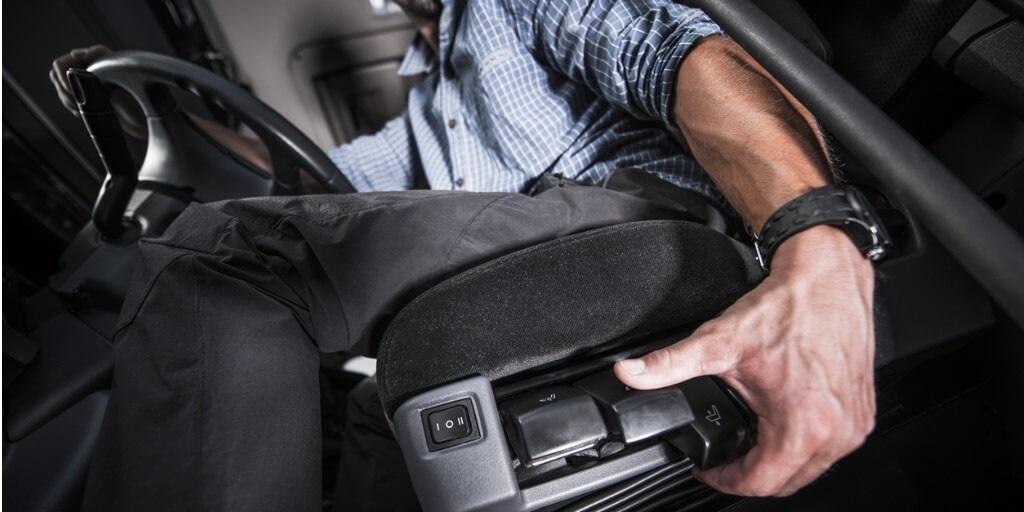
A good driving position should allow the driver to reach the pedals, steering wheel, mirrors, and controls without stretching, twisting, or slouching. Drivers should be able to sit upright, keep their back supported, and maintain clear visibility around the vehicle.
When setting up the cab, drivers should review:
- Seat height: The driver should have clear visibility without needing to lean forward or upward.
- Seat distance: The driver should be able to press the pedals fully while keeping the back supported.
- Seatback angle: The seatback should support an upright, comfortable posture.
- Lumbar support: Lower-back support should be adjusted to reduce slouching and pressure.
- Steering wheel position: The wheel should be close enough to control comfortably without crowding the driver.
- Mirror placement: Mirrors should be adjusted to reduce unnecessary twisting and improve visibility.
- Control access: Frequently used controls should be reachable without awkward posture.
Training Drivers on Ergonomic Setup
Fleet managers should not assume that drivers know how to adjust every vehicle correctly. Seat controls, steering wheel adjustments, mirror systems, and cab layouts can differ across trucks, vans, and service vehicles.
Driver onboarding should include a simple ergonomic setup checklist. This can help drivers adjust the vehicle before starting a route and recognize when a seat, mirror, or control setting needs attention.
Training should also encourage drivers to report ergonomic issues. If a driver consistently experiences discomfort in a specific vehicle, the fleet team may need to inspect the seat, review cab fit, or consider whether that vehicle is appropriate for that driver’s work.
Practical Ergonomic Tips for Fleet Drivers
Small habits can make long driving days more manageable. Fleet teams can encourage drivers to:
- Sit with the back supported and shoulders relaxed.
- Adjust the seat before driving, not while the vehicle is moving.
- Keep both feet and legs positioned comfortably without overreaching.
- Use mirrors to reduce excessive twisting when checking surroundings.
- Take safe breaks to stand, walk, and stretch when schedules allow.
- Report seat damage, excessive vibration, or hard-to-reach controls.
- Avoid storing loose items where they interfere with posture or pedal access.
Drivers with ongoing pain, numbness, or health concerns should seek guidance from a qualified medical or occupational health professional.
Choosing Vehicles With Driver Ergonomics in Mind
Vehicle procurement should consider more than payload, fuel efficiency, cost, and job requirements. Driver fit and comfort also matter, especially for vehicles used for long shifts or repeated routes.
When evaluating vehicles, fleet teams should consider whether the cab can accommodate drivers of different heights and body types, whether seats provide adequate support, and whether controls are easy to reach and operate.
It can also help to involve drivers in the evaluation process. Drivers who use the vehicles every day can often identify practical issues that may not be obvious during a standard purchasing review.
Procurement Questions to Ask
Before acquiring trucks, vans, or service vehicles, fleet teams should ask questions such as:
- Can drivers of different sizes sit comfortably and safely?
- Are the seat, steering wheel, mirrors, pedals, and controls adjustable?
- Does the vehicle support the type of work drivers perform each day?
- How many hours per day will drivers typically spend in the vehicle?
- Does the cab layout reduce unnecessary reaching, twisting, or awkward posture?
- Are there known issues with seat comfort, vibration, visibility, or control placement?
- Can the vehicle support any tools, equipment, or storage needs without crowding the driver?
How Fleet Managers Can Support Driver Comfort
Driver ergonomics should be part of a broader safety and retention strategy. Fleet managers can support drivers by maintaining seats and cab equipment, reviewing vehicle fit, building realistic break opportunities into routes, and encouraging drivers to report issues early.
Telematics and fleet management data can also help teams understand route length, stop frequency, idle time, and vehicle utilization. That information can support better planning and help managers identify routes or assignments that may create long periods of continuous driving.
How Zonar Can Help
Zonar helps fleet teams bring vehicle, driver, asset, and operational data into clearer view. With fleet management, reporting, maintenance, and driver visibility tools, Zonar can help organizations better understand vehicle use, route activity, and operational patterns that affect drivers every day.
To learn how Zonar can support your fleet management and driver safety goals, contact the Zonar team.